
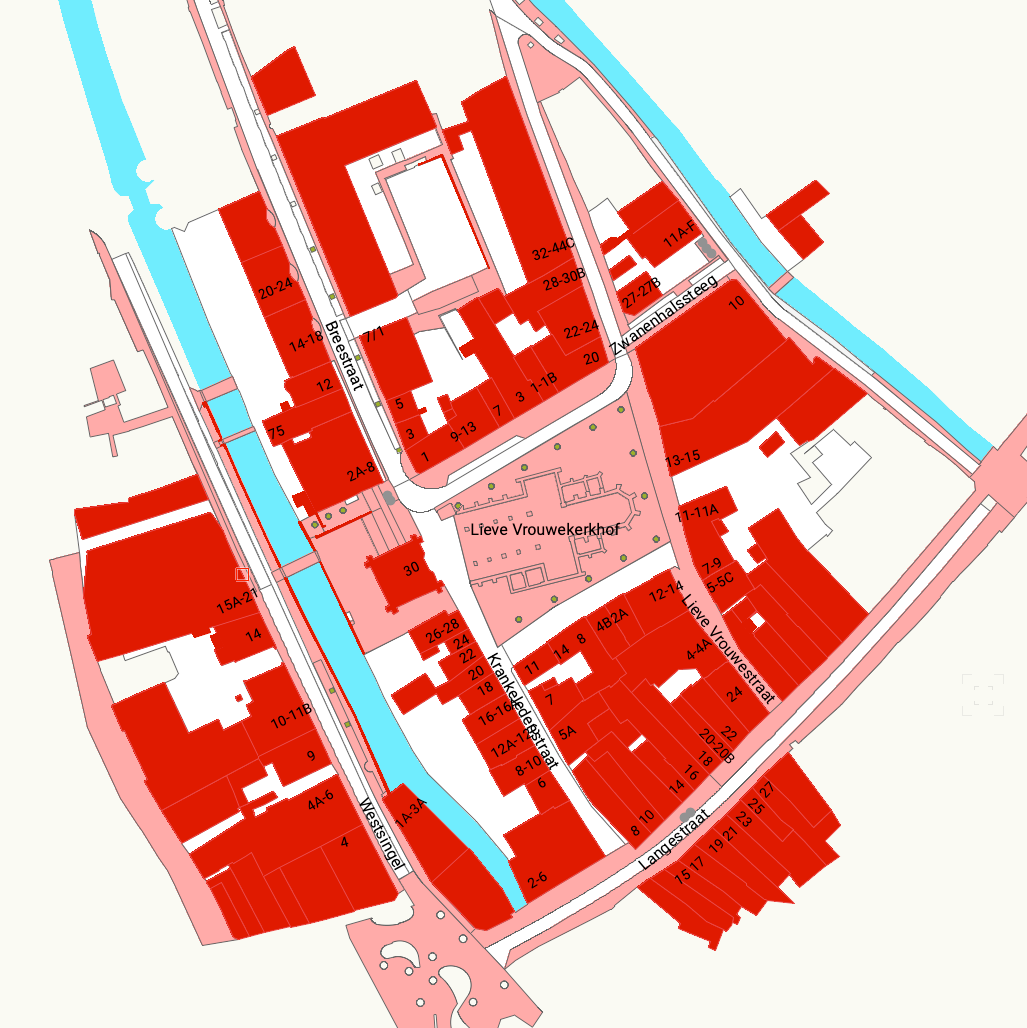
Import PDOK Geodata for Vectorworks
Imports Dutch maps, cadastral boundaries, buildings, and terrain as correctly positioned Vectorworks geometry.
Custom Vectorworks plugins and scripts. Ready for Vectorworks 2027.
STB stands for Sebastiaan ten Broek. My journey with Vectorworks started back in 2012, working in the Dutch event industry as a Technical Planner and Stage Designer. Like many of you, I spent hours on repetitive drafting tasks, so I started writing small scripts as a hobby just to make my own work a little easier.
Aside from design work, I train beginning and advanced users in Vectorworks. I often got the same question from my students: 'Is there a tool to easily draw event fencing?' There wasn't one, so I decided to build it.
What started as a personal collection of 'hobby scripts' has now grown into STB VW Tools. I decided to polish up my own Vectorworks tools, starting with that requested Symbol Line, and share them with the community. My goal is simple: I build the tools I use myself, in the hope that they save you as much time as they save me.
Imports Dutch maps, cadastral boundaries, buildings, and terrain as correctly positioned Vectorworks geometry.

This tool places symbols with two defined points along a drawn line, creating a linked chain of repeated symbols.

Creates formatted DMX patch list worksheets from the Lighting Devices in your drawing, grouped by fixture or by universe.
Import PDOK Geodata for Vectorworks, Symbol Line, and Pretty Patchlist are available now.
Plate C-01● Live
Imports Dutch maps, cadastral boundaries, buildings, and terrain as correctly positioned Vectorworks geometry.
Plate C-02● Live
Places symbols, each with two points, along a drawn line — creating a daisy chain of symbols on a line. The plugin that started it all.
Plate C-03● Live
Creates formatted DMX patch list worksheets from the Lighting Devices in your drawing, grouped by fixture or by universe.